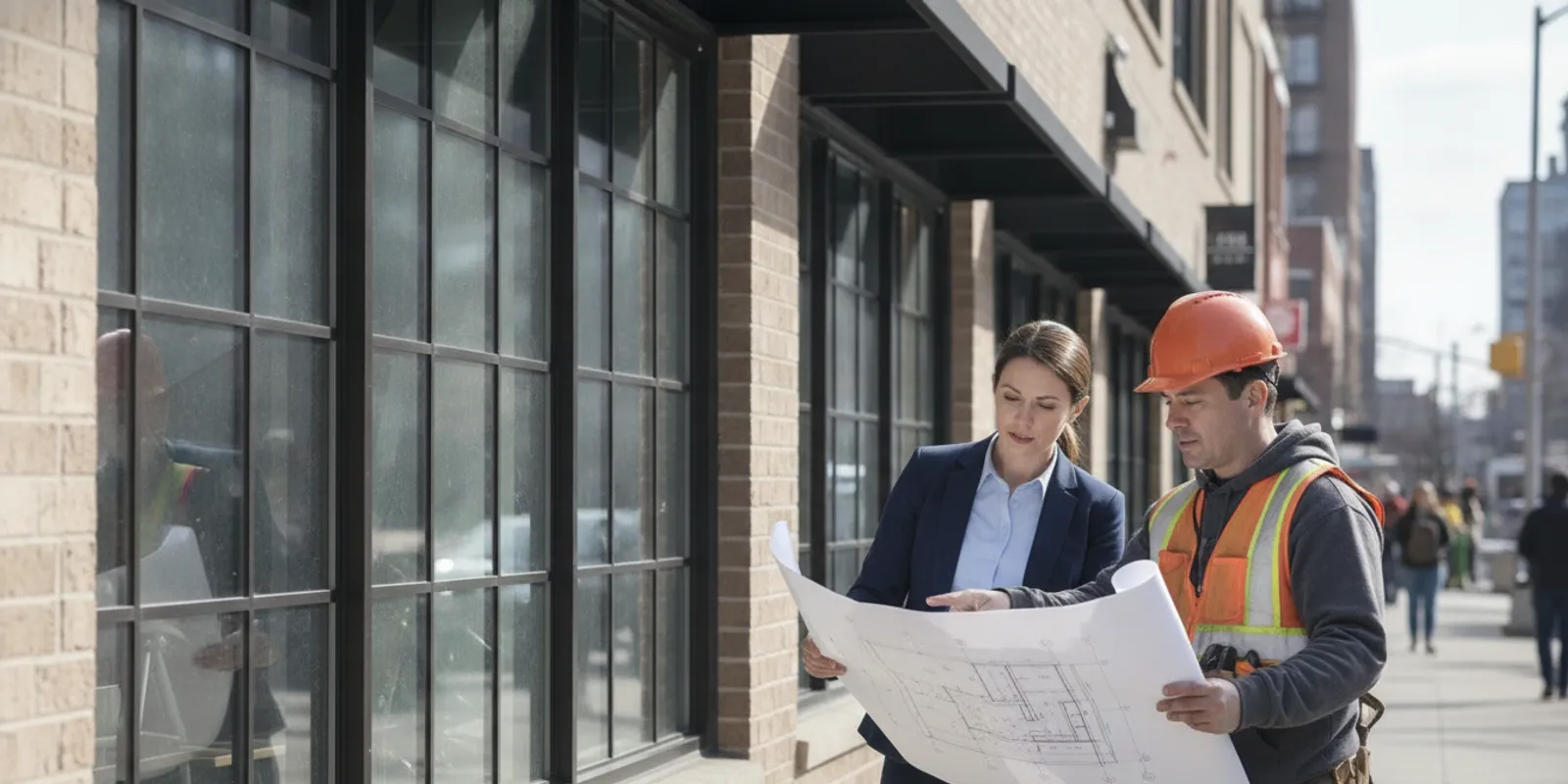
Planning a TR8 projection factors inspection NYC starts with a clear understanding of the shading condition being documented and the information the project team can show. Projection factors connect facade geometry, exterior shading, and energy-code documentation; they are not simply a measurement to estimate in the field. Confirm the applicable code path and project scope before relying on a detail or calculation.
What does a projection factor mean in a TR8 context?
A projection factor is a way to describe the geometry of an exterior shading element in relation to a window or other fenestration. Depending on the applicable code method, the relevant geometry may include how far a shade projects outward and its position relative to the fenestration. The factor helps characterize how an overhang, canopy, or similar element can shade glazing.
That description is a starting point, not a substitute for the definition and calculation method in the energy-code provisions that apply to the project. The design professional should identify the relevant rule, inputs, and any required adjustment or documentation method. Do not assume that every projecting feature qualifies as a shading device, or that a visually similar feature has the same code treatment.
In the TR8 workflow, projection-factor information is one part of a broader energy-compliance record. Teams should keep it connected to the drawings and the applicable analysis rather than treating the factor as a stand-alone field observation. EZTR1 lists a TR-8 Projection Factors service; confirm that the listed scope fits the project conditions and filing needs.
Which project details should the team confirm first?
Before arranging a review, establish what is being evaluated, where it appears, and which documents control. Start with the approved or current facade elevations and the related window schedule. Mark each opening or group of openings that the design team associates with a projection factor. If there are multiple facade orientations, typical conditions, or different shade types, make those distinctions visible.
- Identify the fenestration: Note the window or glazed opening, its location, and the drawing reference. Match the opening to the elevation and schedule.
- Describe the projecting element: Identify whether the condition is an overhang, canopy, balcony, fin, or another feature. Do not group unlike conditions without design-team confirmation.
- Locate the geometry: Provide dimensioned details that show the relevant projection and its relationship to the fenestration. Avoid relying on a perspective view or an unscaled photograph as the sole evidence.
- Record orientation and grouping: Label the facade or building side and explain which openings share a detail. If the condition changes, identify the transition.
- Confirm the analysis basis: Ask the responsible design professional to state the applicable code method, assumptions, and source documents.
These checks reduce ambiguity. A reviewer can follow a documented condition more readily than a collection of detached measurements. For an overview of agency and filing questions, see the site’s special inspection FAQs and its agency information.

What drawings and records are useful to have ready?
Prepare a compact, coordinated set of records instead of sending every project file without context. The exact submittal depends on the filing and the applicable code provisions, so the design professional should confirm what is required. A practical preparation set may include the current facade elevations, enlarged details of each distinct shading condition, fenestration schedules, and the energy analysis or calculation that uses the factor.
Show how the information relates. For example, use a detail callout on an elevation, then use the same condition label in the calculation and supporting schedule. If the analysis references a typical condition, say which openings it represents and explain whether any exceptions exist. Where a drawing revision changes the overhang, window size, or relative position, identify the revision and check whether the calculation needs to be revisited.
Field photographs can help orient a team to existing work, but they do not establish dimensions or prove that installed construction matches a design by themselves. Include enough context to identify the location, and pair photographs with dimensioned drawings or other project records when appropriate. Keep marked-up copies clearly labeled as coordination documents rather than approved design changes.
| Item to coordinate | What it helps establish | Useful preparation |
|---|---|---|
| Facade elevation | Which side and openings are under review | Label orientation, opening identifiers, and relevant detail references |
| Enlarged projection detail | The relationship between the shading feature and fenestration | Show dimensions, placement, and any distinct conditions |
| Fenestration schedule | Which window or glazed opening matches the drawings | Keep identifiers consistent with elevations and analysis |
| Energy analysis or calculation | How the design team applied the factor | Identify its author, version, assumptions, and supporting detail |
| Site records, if relevant | Whether accessible construction appears consistent with the documented condition | Provide location-specific photographs or notes; do not use them as a replacement for design records |
How can the team check a repeated facade condition?
Repeated openings can make a review more efficient, but repetition should be demonstrated rather than assumed. Consider a hypothetical elevation with a row of windows beneath a continuous canopy. The team can first assign an identifier to the canopy detail, then map the openings that use it. Next, compare the elevation and enlarged detail to see whether the canopy projection, vertical position, window dimensions, and attachment condition remain consistent across the group. The project designer decides whether those openings can be represented by a shared calculation input.
Then look for exceptions at corners, setbacks, roof transitions, entrances, or places where the facade steps. A typical detail may not describe an opening beside a recessed section or a different window assembly. Mark each exception on the elevation and give it a separate detail or a clear reference to the design team’s analysis. This makes the basis for grouping visible and gives reviewers a practical way to select the condition being discussed.
A useful check is to trace one representative opening all the way through the records: from its elevation location to its schedule identifier, detail callout, and calculation reference. Repeat the trace for at least one changed or atypical condition. If the chain breaks—for example, a schedule ID cannot be found on the elevation—resolve the mismatch before the review. This simple cross-check often catches coordination gaps earlier than rereading a large drawing set.
How should teams coordinate the calculation and the site condition?
Keep the roles clear. The registered design professional or other responsible project designer establishes the design intent, identifies the applicable code path, and prepares or directs the analysis. The contractor coordinates access and communicates construction conditions. An inspection agency performs the agreed inspection or review within its authorized scope; it does not take over design responsibility or choose an undocumented code method for the project.
Before work is concealed or access becomes difficult, the project team should compare the relevant detail with the condition that can be observed. This is a coordination step, not a replacement for required inspections, design review, or filing procedures. If dimensions, materials, or locations do not appear to match the documents, pause and refer the discrepancy to the responsible design professional. Record the question and the disposition in the project file.
One useful coordination routine is to assign a unique label to each distinct facade condition. Use that label on the elevation, detail, calculation reference, and field notes. When an opening is not yet installed or an element is inaccessible, document the limitation and agree on what evidence or follow-up is needed. Do not report an unobserved condition as verified.
What if the drawings or construction change?
Changes are easier to evaluate when the team can identify what changed, which conditions are affected, and which analysis relied on the earlier version. A revised window schedule might change the opening size while leaving the exterior shade unchanged. A canopy adjustment might change the projection in one area but not elsewhere. These examples do not determine the code result; they show why a general note such as “facade revised” may not be enough to support a focused review.
Use a short change-check sequence. First, record the revision date and identify the sheets or field locations affected. Second, compare the new condition with the prior detail, including the opening and shade relationship. Third, ask the responsible designer whether the energy analysis, grouping, or supporting documentation needs an update. Finally, replace or clearly supersede outdated records in the review package, while retaining the prior version in the project history so the decision trail remains understandable.
If work is already installed and differs from a drawing, separate observation from interpretation. Write down the specific location and what can be seen or measured; attach a marked-up excerpt or contextual photograph. Refer the question to the design professional for a documented disposition. Avoid instructing the field team to alter the work or assuming that the calculation remains valid until the responsible parties resolve the issue.
What common coordination problems should be avoided?
- Using a sketch with no dimensions: A diagram may explain the concept but cannot support a geometry check if the relevant measurements are missing.
- Mixing design versions: An older elevation paired with a newer energy analysis can lead the team to discuss different conditions. Confirm revision dates before review.
- Assuming all facades are typical: Corner conditions, setbacks, balconies, and changes in window size can make a repeated detail inapplicable. Have the design team identify valid groupings.
- Confusing a projection with a qualifying shade: A feature’s appearance alone does not establish its treatment under the applicable energy-code method. Confirm its purpose and classification with the design professional.
- Using field measurements to revise the design informally: If an installed dimension differs from the documents, route it through the responsible project team and maintain a record of the resolution.
- Leaving assumptions undocumented: If a factor or typical detail relies on an assumption, make that basis traceable to the analysis and supporting documents.
For other energy-related inspection topics, the TR-8 energy inspections catalog can help identify a service category. The online shop lists available inspection services, but the project team still needs to match the service selection to its actual filing and scope.
What should the project record show after coordination?
A useful project record lets someone who was not at the coordination meeting understand which condition was discussed, what documents were reviewed, and what remains open. Create a short register for the projection conditions rather than relying on memory or an email thread. For each condition, record its facade location, opening or detail identifier, drawing revision, related calculation reference, and current status. Status notes can distinguish items that are ready for review, awaiting design clarification, or dependent on access.
When a question arises, describe the issue in neutral, observable terms. For example, note that the installed projection at a named elevation appears different from a cited detail, identify the measurement or visual discrepancy, and request the responsible professional’s evaluation. Avoid recording an assumed cause or a conclusion outside your role. Attach the specific drawing excerpt or location photograph that makes the question easy to find.
Keep the response with the question. If the designer issues a revised detail or analysis, record its date and revision, and identify which openings or conditions it affects. Where a revision does not change the applicable factor, retain the design team’s explanation with the earlier calculation. This helps prevent a later reviewer from mistaking an old sheet for the governing document.
Before closing out the record, check that identifiers match across the elevation, enlarged detail, schedule, calculation, inspection notes, and any follow-up correspondence. A simple cross-reference is often more useful than a large unorganized file. The goal is not to create extra paperwork; it is to make the basis for the documented condition clear and retrievable.
How can a team keep the review on track?
- Confirm scope and timing. Identify the project, filing context, distinct projection conditions, and when the relevant work will be accessible. Scheduling should leave time for coordination and the required advance notice.
- Ask the design professional for the code basis. Have the responsible professional confirm which current requirements and calculation approach apply. NYC requirements can change; check official NYC Department of Buildings information and project-specific instructions rather than relying on an older guide.
- Assemble a consistent document set. Align drawing references, opening IDs, calculation labels, dates, and revisions. Clearly identify what is issued for construction and what is a coordination markup.
- Coordinate access and observations. Tell the team where each condition is located and whether it is complete, exposed, or otherwise available for the agreed review.
- Close the record loop. Save inspection records, relevant correspondence, revised details, and the design team’s resolution of any discrepancy together in the project file.
Contact the team about a project
Frequently Asked Questions
Does every exterior overhang have a projection factor?
A visible overhang does not by itself establish that a particular projection-factor method applies. The design professional should confirm the relevant energy-code provision, whether the feature is treated as an exterior shading device, and how the fenestration and geometry are defined for the project.
Can a contractor calculate the factor from a site photograph?
A photograph can show location and general condition, but perspective, scale, and hidden dimensions can make it unsuitable as the sole basis for a calculation. Use coordinated, dimensioned project information and have the responsible design professional confirm the calculation method and inputs.
What should the team do if the installed projection differs from the detail?
Record the location and observed difference, notify the responsible project professional, and ask for a documented evaluation and direction. Keep the relevant drawing and calculation revisions together. Do not assume the discrepancy is acceptable or change the analysis without design-team review.
Is a projection-factor review the same as a complete TR8 review?
No. Projection-factor information addresses a particular energy-documentation issue. A project’s overall TR8 scope may involve other requirements and documentation. Confirm the complete filing and inspection scope separately with the responsible design professional and the relevant project team.
Clear labels, current drawings, traceable calculations, and timely communication make projection-factor coordination easier to follow. Confirm project-specific requirements with the responsible design professional before treating any detail as final.
Leave a Reply